

Ultrasound Results & Patient Portal
Your ultrasound examination is complete—now what?
At Reveal Ultrasound Studio & Spa, your diagnostic ultrasound images are reviewed by a board-certified radiologist. Your report is typically available within 24–48 hours and is sent to your ordering healthcare provider.
You can also securely access your report through our Updox patient portal.
How to Access Your Ultrasound Results
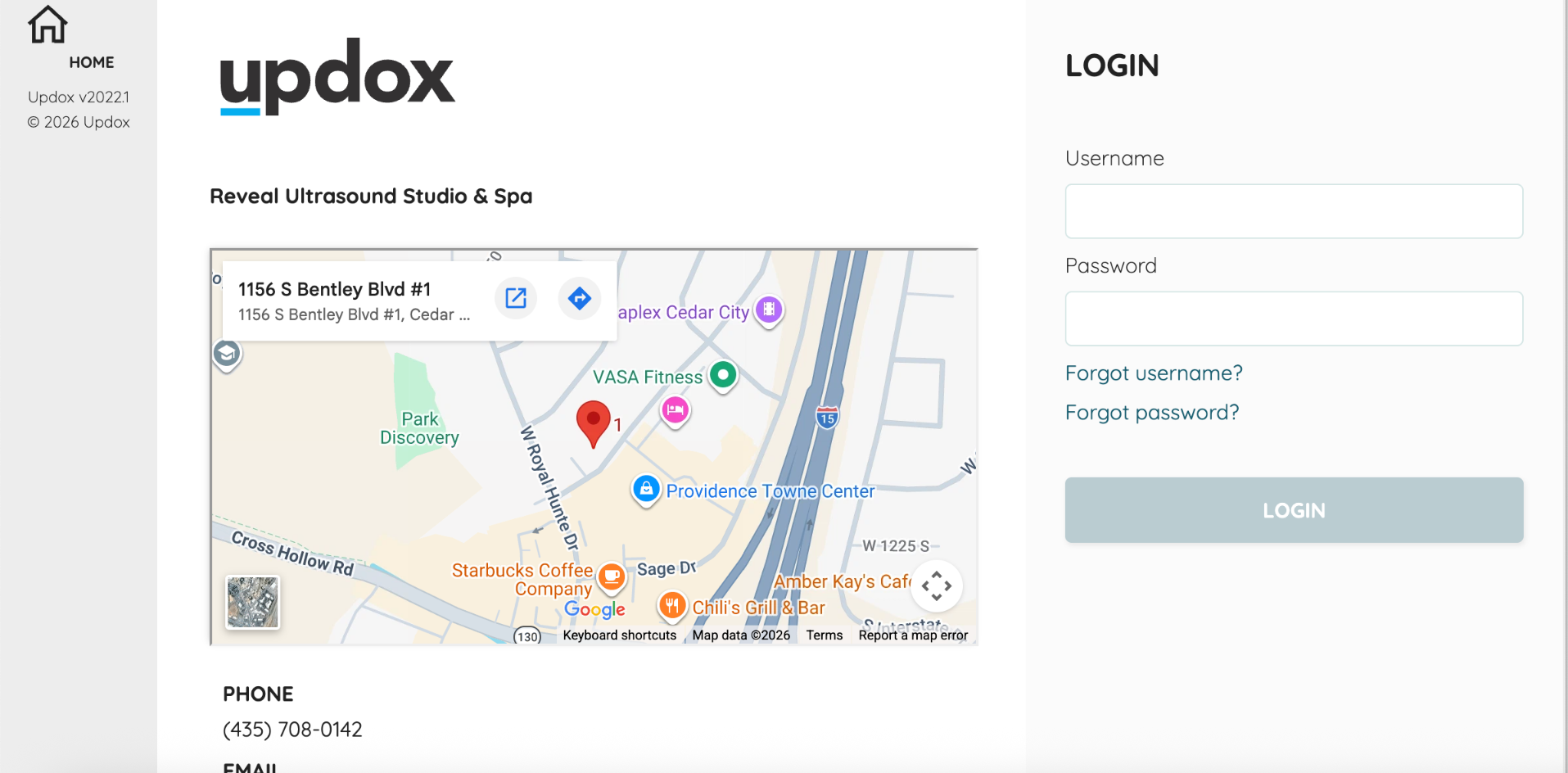
Step 1: Log In to Your Patient Portal
After your ultrasound, you'll receive an email with instructions to access your secure Updox patient portal.
Visit the Reveal Patient Portal and enter your username and password.
If you've already activated your account, use your existing login information.
Step 2: Find Your Messages
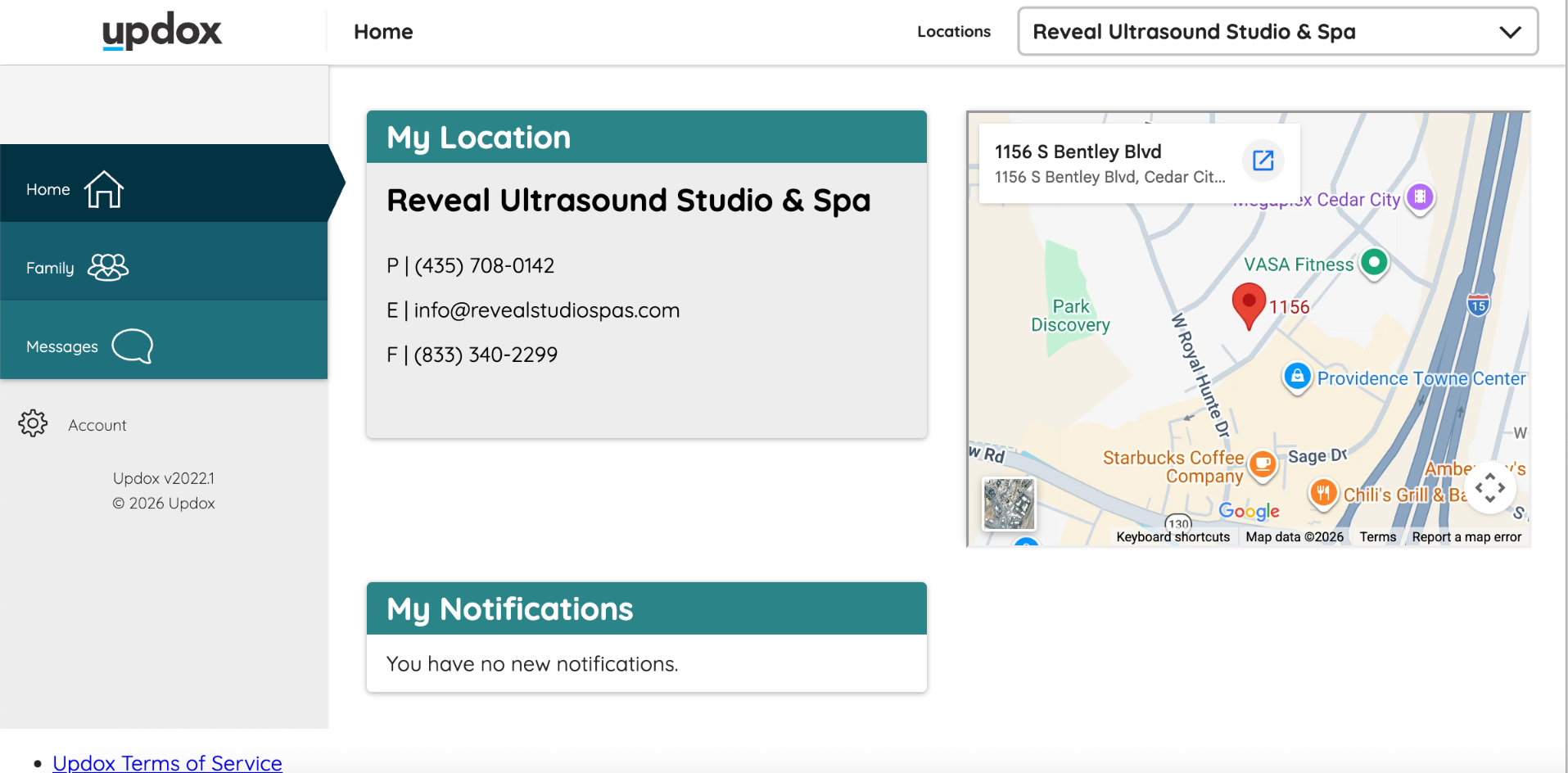
Once you've logged in, you'll see your patient portal homepage.
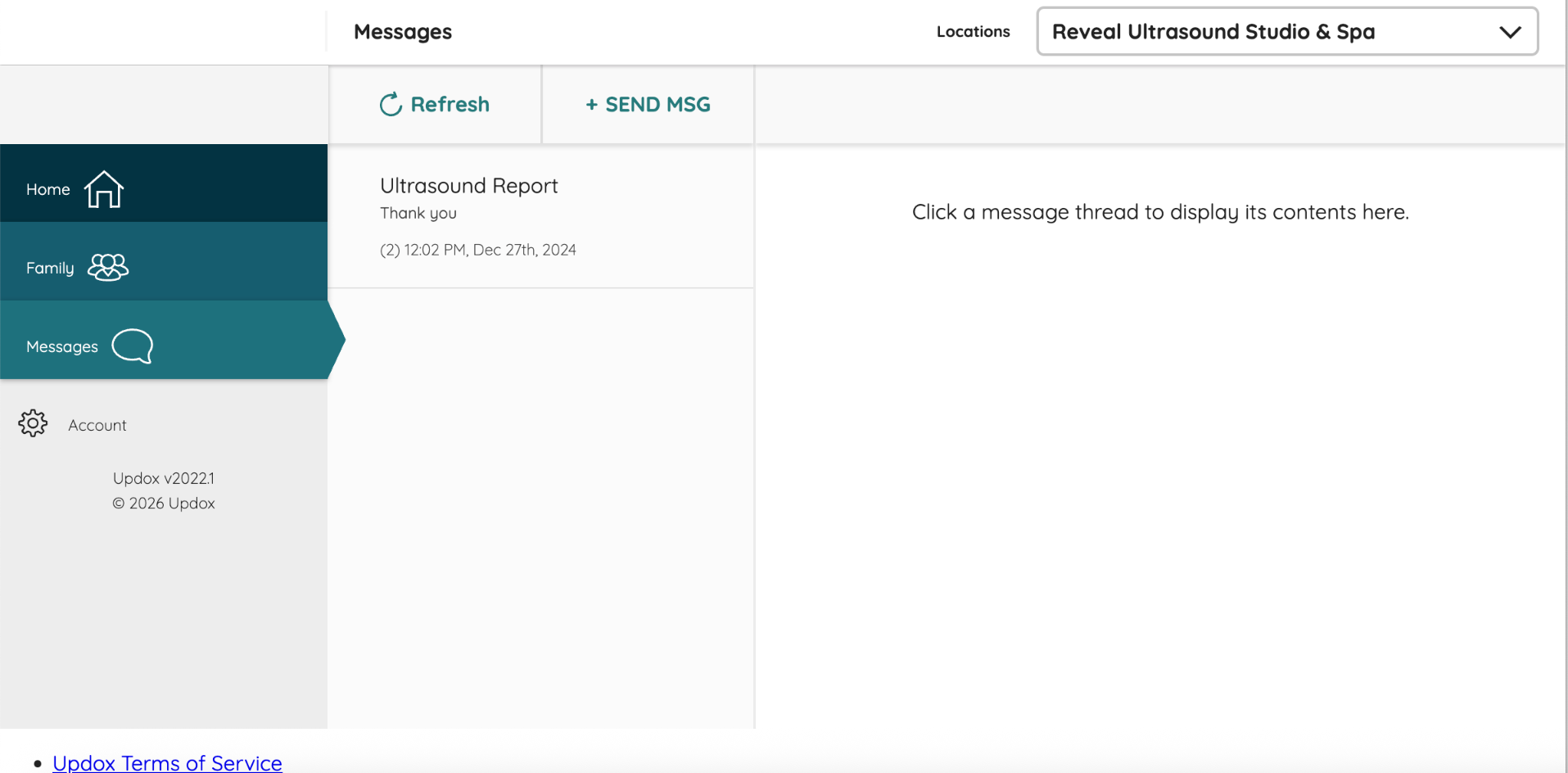
Click Messages in the left-hand menu to access messages and reports sent to you by Reveal Ultrasound Studio & Spa.
Step 3: Open Your Ultrasound Report
In the Messages section, look for a message titled Ultrasound Report.
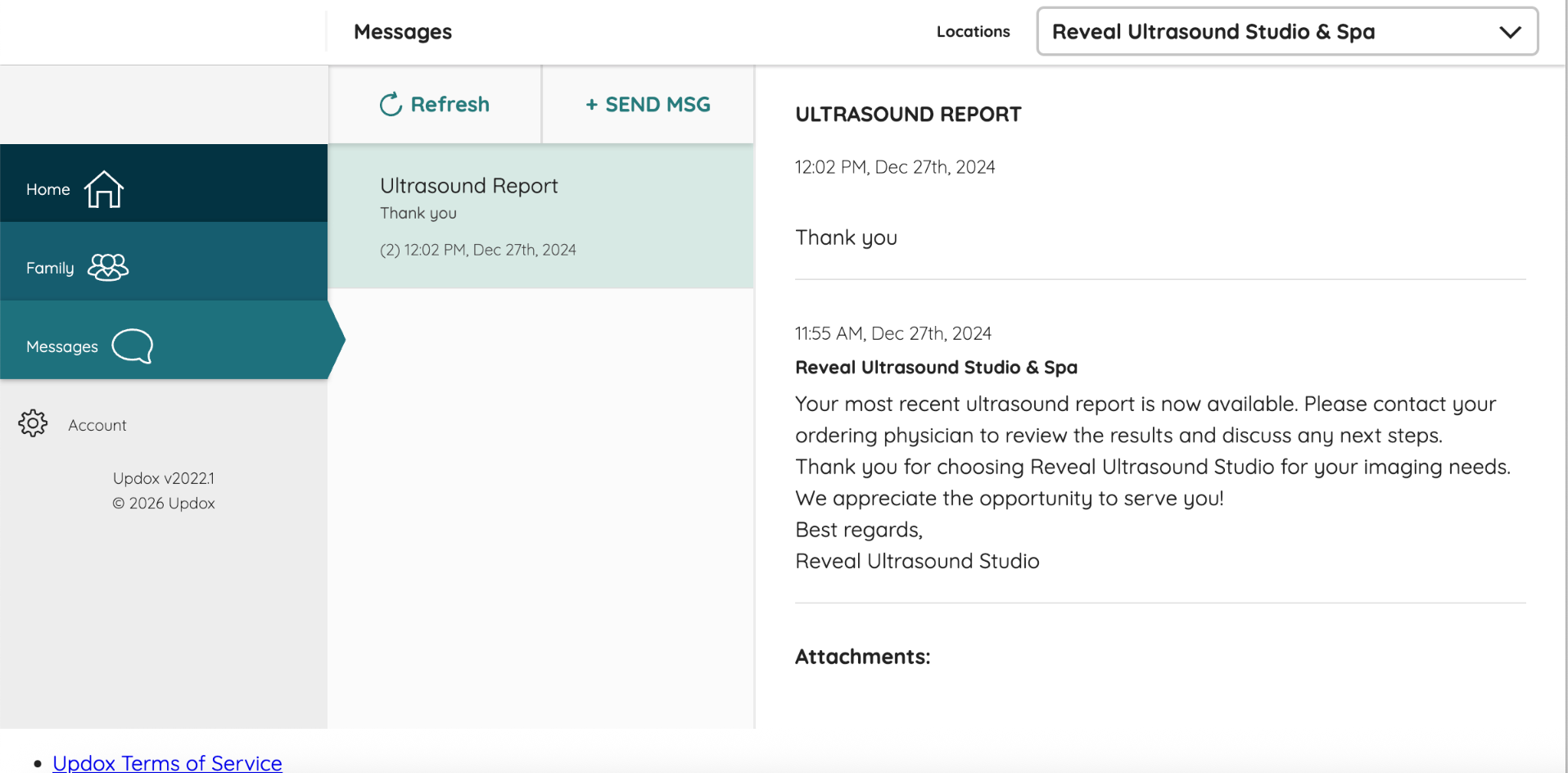
Click the message to open it and view the details.
Your report will be included as an attachment to the message.
Step 4: View Your Ultrasound Report
After opening the Ultrasound Report message, scroll down to the Attachments section.
Click the attached report to open or download your ultrasound results.
Your report is also sent to your ordering healthcare provider. Please contact your provider to discuss your results and any recommended follow-up care.
Ready to Access Your Results?
Having Trouble Accessing Your Results?
If you haven't received your patient portal email, check your spam or junk folder.
If you forgot your login information, use the Forgot Username or Forgot Password links on the portal login page.
Still need help? Contact Reveal Ultrasound Studio & Spa at 435-708-0142.
Please note: Your ordering healthcare provider is responsible for reviewing your ultrasound results with you and discussing any recommended next steps.